


Credit One Bank Mobile
4.7213.88K Reviews
App Specs
- Version
- 26.07.0
- Updated On
- License
- Free
- Downloads
- 10,000,000+
- Developer
- Credit One Bank, N.A.
- Categories
- Finance
- Platform
- Android, iOS
Screenshots
 Analysis by AppCompare
I like a credit-card app best when it makes one routine task easier: knowing what needs attention before a bill becomes a surprise. That is the useful lens for Credit One Bank Mobile. It is a free finance app from Credit One Bank, N.A., built around managing a Credit One Bank card account, rather than trying to replace a full budgeting or banking setup. If your main goal is to check your account and handle card payments from your phone, that focused approach makes sense.
A focused view of your card account
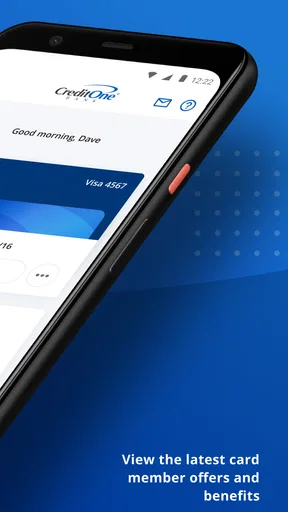
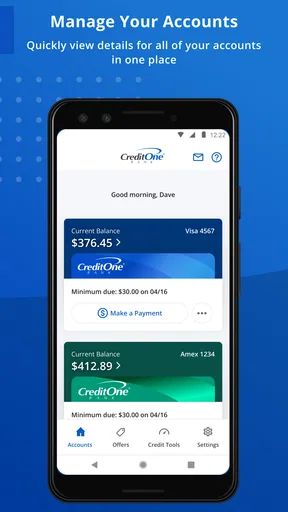
The app’s most practical idea is keeping everyday account details close together. A cardholder can use a mobile account view to check the balance, look over recent activity, and keep an eye on payment timing without relying only on paper statements or remembering to sign in from a computer. That convenience is not flashy, but it can make a difference when you are trying to catch an unfamiliar purchase or fit a payment into a busy week.
I would treat that quick view as a prompt to review, not as a substitute for a careful monthly check. A glance at recent activity is helpful for spotting something that looks wrong, but it is still worth comparing your account activity with receipts and keeping track of purchases that have not appeared yet. That small habit makes a card app more useful: it turns checking the account into a regular review instead of a reaction after a problem has grown.
Where it fits in a normal week
Picture checking your card while planning the week’s expenses. You can see where the account stands, consider an upcoming payment, and decide whether a planned purchase fits your available budget. The app’s value is having those account tasks in one place, especially if you already use a Credit One Bank card and do not need a broad financial dashboard.
That focus also sets expectations. This is a card-management tool, not a general-purpose money manager that brings every bank account, loan, and household expense into one picture. If you want to compare spending across several institutions or build a detailed household budget, a dedicated budgeting service or your main bank’s app may suit you better. I would use this app for the Credit One account and keep a separate system for the rest of my finances.
The tradeoff behind convenience
Putting account access and payment tasks on a phone saves effort, but it also means your routine depends on being able to sign in and on the app presenting information clearly when you need it. I would avoid leaving a payment decision until the last moment simply because the app is handy. Checking the due date early gives you room to review the amount and choose a payment approach that works for your situation.
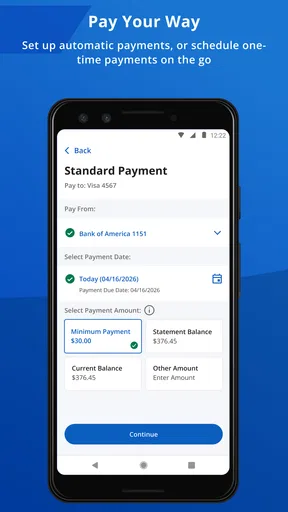
Automatic payments can reduce the chance of forgetting a due date when that option is available in your account, but they are not a reason to stop monitoring the card. I would still check that the scheduled amount and timing match what I intend, then look at the account periodically. That is especially useful if your monthly cash flow changes or you prefer to pay a different amount than the one you set up. The convenience is real; the responsibility to review remains yours.
Worth Reading Before You Choose

EA SPORTS FC Mobile 26 Is a Bigger Football Game, but It Takes Time

Flipboard Shows What News Apps Must Do Beyond the Feed

Switching to Android Auto Means Rethinking Your Driving Routine

Google Calendar Makes a Crowded Week Easier to Manage

Ludo King Makes the Most of the Minutes Between Plans

Baby Panda World Brings Quick Play to Modern Phones, but Its Game Library Feels Busy
Getting Started with Ease
First things first, downloading the Credit One Bank Mobile app is a breeze. Whether you're on Android or iOS, it's just a quick visit to the Play Store or App Store, and you're good to go. Once installed, setting up your account is straightforward. The app guides you through the process with an intuitive interface that even my tech-impaired uncle could navigate.
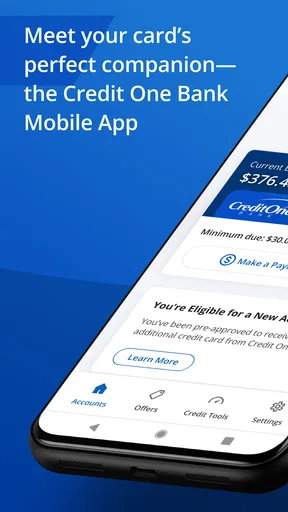
After logging in, you’re greeted with a sleek dashboard. It’s not cluttered, which is a relief. The main screen gives you a snapshot of your account balance, recent transactions, and payment due dates. Honestly, I was impressed by how much information is available at a glance. You don’t have to dig through endless menus to find what you need.
An App with Features Galore
One of the standout features for me is the transaction history. It’s detailed and updated in real-time. Every swipe and payment is logged, so you can keep an eye on your spending habits. This feature is a lifesaver if you’re trying to stick to a budget or just want to make sure there are no unauthorized charges sneaking in.
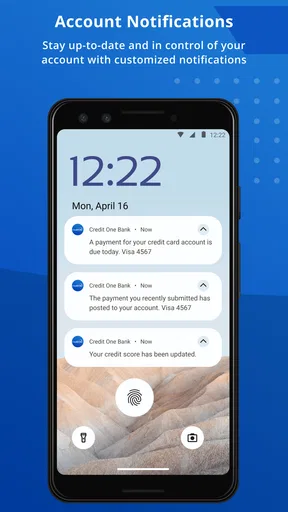
Paying your bill through the app is as simple as it gets. You can set up one-time payments or schedule automatic payments so you never miss a due date. Trust me, avoiding those pesky late fees is a game-changer. Plus, the app sends helpful reminders, so even if you’re forgetful like me, you’re covered.
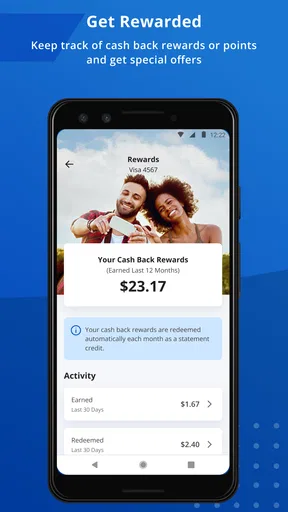
If you’re into rewards, the app makes it easy to track your rewards points. The points system is straightforward, and redeeming them is a piece of cake. It’s nice to see a financial app that doesn’t complicate the rewards process.
Security and Support
Security is always a concern when dealing with financial apps. The Credit One Bank Mobile app has got you covered with its security measures. It uses advanced encryption and biometric login options like fingerprint or facial recognition, so your financial info stays safe. I felt secure knowing that my data was protected.
If you ever run into a snag, the in-app support is pretty solid. There’s a comprehensive FAQ section and a contact option for more specific inquiries. During my testing, I reached out to support and got a quick and helpful response. It’s reassuring to know help is just a few taps away.
Who gets the most from it
This is most appealing if you already have a Credit One Bank card and want a direct way to keep tabs on that account. It can suit someone who checks transactions regularly, prefers handling a bill on a phone, or benefits from a reminder rather than relying on memory. The audience is narrower than “anyone who wants a finance app”: without a Credit One card account to manage, the central reason to install it is missing.
For a person who carries several cards from different issuers, the choice is less clear-cut. A single-issuer app can give you a focused view of one account, while a wallet or finance aggregator may make it easier to compare multiple cards together. I would not expect this app to replace those tools. Instead, I’d use it for the Credit One account’s day-to-day checks and consult a broader tool when I need a combined view of spending or balances elsewhere.
Small habits that make account checks more useful
A practical routine is to check recent activity after a cluster of purchases, such as a grocery run and a couple of online orders, rather than opening the app repeatedly without a purpose. If a transaction is unfamiliar, note the merchant and amount and compare it with your own records before deciding what to do. This makes the app’s transaction history more useful as a monitoring aid while avoiding the assumption that every unfamiliar label is automatically fraud.
Another useful habit is separating the act of scheduling a payment from confirming that your plan still fits. Set a reminder to review the account before the due date, then use the app to check the balance and payment details. This is a sensible middle ground for people who want the convenience of an online payment but do not want to rely blindly on automation. A payment reminder helps with timing; it does not make the choice of amount for you.
Rewards are worth checking as part of the same routine if you use them, but I would not let points drive card spending. A reward is only useful when it relates to purchases you already intended to make. Treating the rewards area as an account detail to review, rather than a reason to buy more, keeps the app’s convenience aligned with sensible spending.
What to expect before installing
The app has a 4.7 average from around 800,000 ratings, and it has been installed over 10 million times. Those figures suggest that many cardholders find a mobile account tool useful, but they do not guarantee that every person will like the experience or that it will answer every account question. A finance app’s value depends heavily on whether its specific account tools match the way you manage money.
It is free, rated Everyone, and its current version is 26.04.0, with Android 10 as the minimum operating system. It was released on September 19, 2016, and its scale reflects a long-running role as a companion for Credit One Bank customers. I would still make sure my phone meets the system requirement and that I am comfortable managing card information through a mobile app before setting it up.
If your main concern is whether this can replace contacting the bank, I would think of it as a convenient first stop for routine account management, not a guarantee that every issue can be settled in the app. For a question that needs a specific account decision or a detailed explanation, use the available support route rather than guessing from a balance screen. That distinction matters: mobile access is excellent for routine checks, while account-specific problems may need direct help.
Final Thoughts
All in all, the Credit One Bank Mobile app is a handy tool for anyone looking to manage their credit card account with ease. It’s packed with features that make tracking spending, paying bills, and managing rewards straightforward and hassle-free. Sure, it’s not going to make you a financial guru overnight, but it’s definitely a step in the right direction.
If you’re tired of the old-school way of managing your credit card and want something that fits right into your modern lifestyle, give this app a shot. Who knows, it might just become your new favorite financial companion. Download it today and see for yourself!
Pros
- User-friendly interface and easy navigation.
- Real-time account updates and notifications.
- Secure login with fingerprint or Face ID.
- Quick bill payment and transaction history.
- Customize alerts for spending and payments.
Cons
- Limited features compared to desktop version.
- Occasional slow loading times.
- No support for joint account management.
- Infrequent app updates and bug fixes.
- Some users report login issues occasionally.
FAQs for Credit One Bank Mobile
What features does the Credit One Bank Mobile app offer?
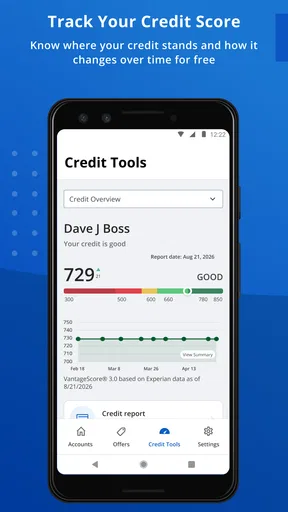
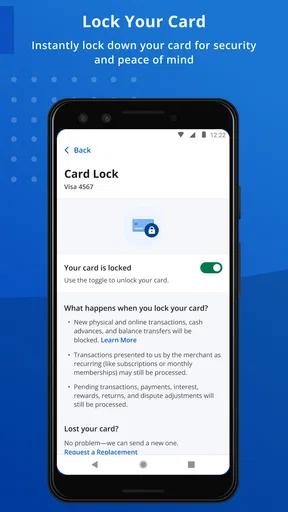
The Credit One Bank Mobile app provides a range of features that include the ability to view account balances, transaction history, and statements. Users can also make payments, set up alerts, and manage their card settings. Additionally, the app offers a credit score tracking feature and customer support access.
Is the Credit One Bank Mobile app secure?
Yes, the Credit One Bank Mobile app is designed with multiple layers of security to protect your personal and financial information. It includes encryption, secure login options, and biometric authentication such as fingerprint or facial recognition, ensuring that your data remains safe while using the app.
Can I manage multiple accounts with the Credit One Bank Mobile app?
Yes, the app allows users to manage multiple Credit One accounts seamlessly. You can easily switch between accounts to view balances, make payments, and track spending. This feature is particularly useful for users who have more than one card with Credit One Bank.
Are there any fees associated with using the Credit One Bank Mobile app?
The Credit One Bank Mobile app itself is free to download and use. However, standard fees may apply to certain transactions or services depending on your account terms. It's advisable to review your account agreement or contact customer support for specific fee-related inquiries.
How do I troubleshoot issues with the Credit One Bank Mobile app?
If you encounter issues with the app, first ensure that you have the latest version installed. Restarting your device and checking your internet connection can also help. If problems persist, visit the app’s support section or contact Credit One Bank customer service for further assistance.


